
Apple has officially unveiled iOS 27 at WWDC 2026, bringing one of the most significant iPhone software updates in recent years. While many users expected a dramatic redesign, Apple has instead focused on artificial intelligence, performance improvements, smarter automation, privacy enhancements, and a more personalized user experience. The latest update introduces a revamped Siri AI, enhanced Apple Intelligence features, smarter Photos editing tools, improved parental controls, and notable speed improvements across supported iPhones. According to Apple’s announcement, iOS 27 will continue supporting devices as old as the iPhone 11, making it one of the broadest software rollouts in Apple’s history.
If you’ve been wondering whether iOS 27 is worth the upgrade, this detailed guide covers the top 10 features, supported devices, release timeline, and everything else you need to know.
What Is iOS 27?
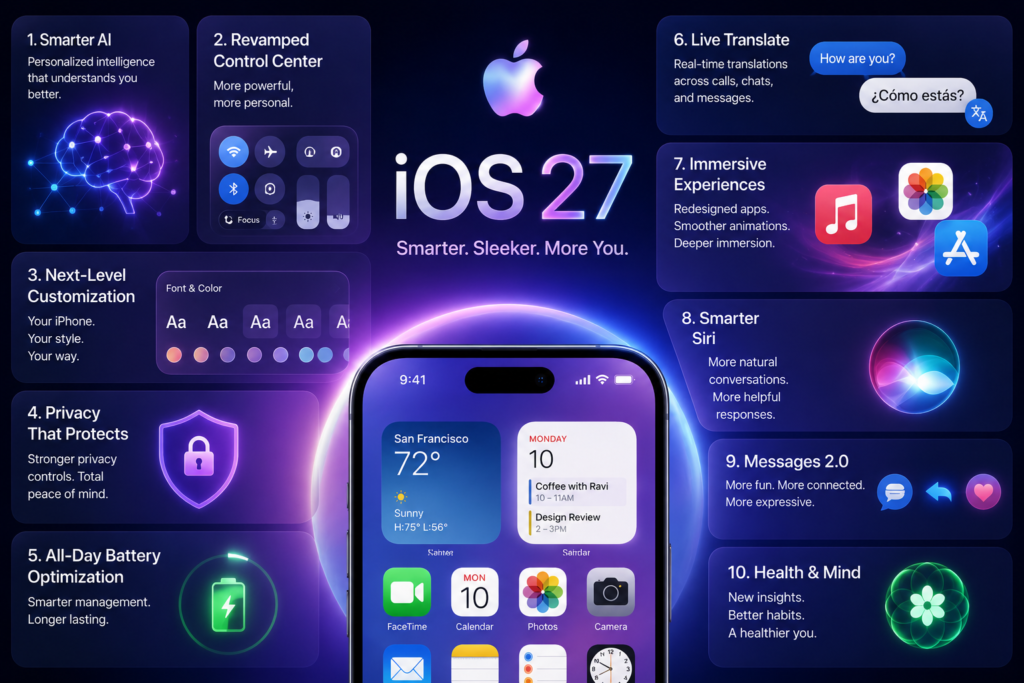
Apple announced iOS 27 during WWDC 2026 as the next-generation operating system for iPhone users. Unlike previous updates that focused heavily on visual redesigns, this release emphasizes intelligence, productivity, speed, and personalization. Apple has integrated its latest AI technologies deeper into the operating system while maintaining its strong privacy-first philosophy.
The update introduces improvements across core apps including Safari, Photos, Messages, Mail, Passwords, Screen Time, Maps, and Health. Apple has also rebuilt major parts of Siri, transforming it into a much more capable assistant powered by advanced AI models.
Why iOS 27 Is a Major Update
Many iPhone users expected Apple to focus primarily on design changes this year. Instead, Apple concentrated on improving how the iPhone works behind the scenes. Think of iOS 27 as upgrading the engine of a car rather than repainting the exterior. The improvements are less about flashy visuals and more about making everyday tasks faster, smarter, and easier.
Apple claims improvements in app launch speeds, AirDrop performance, AI-powered workflows, search functionality, and overall responsiveness. These enhancements are designed to benefit both newer devices and older supported iPhones.
Top 10 Features Revealed in iOS 27
1. Siri AI Gets a Complete Overhaul
The Biggest Upgrade in Siri’s History
The standout feature of iOS 27 is undoubtedly the all-new Siri AI. Apple has rebuilt Siri from the ground up, giving it a more conversational interface and deeper understanding of user context. Siri can now remember conversations, understand on-screen content, and perform complex actions across multiple apps.
What Makes Siri AI Different?
Instead of simply responding to commands, Siri AI can:
- Understand personal context
- Remember previous conversations
- Analyze what’s currently on your screen
- Perform multi-step tasks
- Search across messages, emails, photos, and apps
This makes Siri feel much closer to modern AI assistants while maintaining Apple’s privacy-focused approach.
2. Dedicated Siri AI App
A ChatGPT-Style Experience for iPhone Users
Apple has introduced a standalone Siri AI app in iOS 27. This app allows users to interact with Siri through a chat-based interface rather than relying solely on voice commands. Users can revisit previous conversations, continue discussions, and manage AI interactions more effectively.
Benefits of the New Siri App
The dedicated app offers:
- Conversation history
- Better organization
- Continuous context awareness
- Easier access to AI-generated responses
For users who frequently interact with AI assistants, this could become one of the most useful additions to the iPhone experience.
3. Enhanced Apple Intelligence Integration
AI Is Everywhere in iOS 27
Apple Intelligence is no longer limited to a few features. In iOS 27, AI capabilities are integrated into many core applications including Safari, Messages, Mail, Notes, Reminders, Calendar, and Shortcuts.
The system can now provide smarter suggestions, automate repetitive tasks, summarize information, and help users complete actions more efficiently. This deeper integration means users don’t need to launch separate AI apps to benefit from intelligent assistance.
4. Smarter Safari Experience
Browsing Gets More Intelligent
Safari receives substantial upgrades in iOS 27. Apple has integrated AI-powered tools that help users organize tabs, monitor web pages, and manage browsing sessions more effectively.
The browser can intelligently categorize content, suggest actions, and help users keep track of important websites without manually managing dozens of tabs.
For users who spend hours researching, shopping, or reading online, these improvements could significantly boost productivity.
5. Powerful AI Photo Editing Tools
Professional Editing Made Simple
The Photos app receives one of its biggest updates ever. Apple has added several AI-powered editing features that make professional-quality edits accessible to everyday users.
New Photo Features Include:
- Spatial Reframe
- AI Extend
- Enhanced Cleanup Tool
- Object Removal
- Intelligent Recomposition
These tools allow users to improve photos with minimal effort while maintaining realistic results.
Why This Matters
Many users currently rely on third-party editing apps. With iOS 27, Apple is bringing advanced editing capabilities directly into the native Photos application.
6. Liquid Glass Customization Improvements
More Control Over the Interface
Apple introduced the Liquid Glass design language previously, but some users criticized readability issues. In response, iOS 27 introduces a transparency slider that allows users to customize the appearance of Liquid Glass elements.
Users can adjust transparency levels based on personal preference, making the interface easier to read while preserving Apple’s modern aesthetic.
This small change demonstrates Apple’s willingness to respond directly to user feedback.
7. Major Performance Boosts
Faster Than Ever Before
Performance improvements are a central focus of iOS 27. Apple reports significant gains in several key areas.
| Improvement Area | Claimed Enhancement |
|---|---|
| App Launch Speed | Up to 30% Faster |
| AirDrop Transfers | Up to 80% Faster |
| Camera Launch Time | Improved |
| Photos Loading | Faster |
| Safari Performance | Enhanced |
| Overall Responsiveness | Improved |
8. Enhanced Screen Time and Parental Controls
Better Family Device Management
Parents will appreciate the redesigned Screen Time features in iOS 27. Apple has introduced more detailed controls and easier ways to manage children’s device usage.
New capabilities include:
- Improved activity monitoring
- Enhanced usage limits
- Better content controls
- Device pause functionality
- Expanded parental oversight tools
These additions help families create healthier digital habits without relying on third-party applications.
9. Smarter Password Management
Security Meets Convenience
Apple continues strengthening security in iOS 27 with improvements to the Passwords app. One notable addition is the ability to automatically update credentials when supported services change login information.
Key Benefits
- Reduced password management effort
- Better security practices
- Faster account access
- Improved protection against outdated credentials
This enhancement simplifies one of the most frustrating aspects of modern digital life.
10. Call Context Intelligence
Smarter Phone Calls
A brand-new feature called Call Context provides relevant information during active phone conversations. Apple uses AI to surface useful details related to ongoing calls, helping users access information without interrupting the conversation.
Potential Use Cases
- Meeting reminders during business calls
- Contact-related information
- Relevant notes and documents
- Context-aware suggestions
This feature showcases how AI can assist users without becoming intrusive.
Supported Devices for iOS 27
One of the most surprising announcements is Apple’s continued support for older devices. According to Apple, iOS 27 supports iPhones dating back to the iPhone 11.
Supported Models Include:
- iPhone 11 Series
- iPhone 12 Series
- iPhone 13 Series
- iPhone 14 Series
- iPhone 15 Series
- iPhone 16 Series
- Future iPhone Models
Some advanced AI features may require newer hardware, but the core operating system remains available across a wide range of devices.
Privacy Remains a Core Focus
Apple’s Privacy-First AI Strategy
As AI becomes more powerful, privacy concerns continue to grow. Apple has emphasized that iOS 27 uses a privacy-focused architecture designed to protect user data while enabling advanced intelligence features.
Apple states that Siri AI can understand personal context and perform sophisticated actions without compromising user privacy. This approach differentiates Apple’s AI strategy from some competing platforms that rely more heavily on cloud-based processing.
Release Date and Availability
Apple has already released the developer beta following the WWDC announcement. The public beta is expected during the summer, while the final version of iOS 27 is anticipated to launch alongside new iPhone hardware later in 2026.
Users interested in testing new features early can enroll in Apple’s beta programs, although beta software may contain bugs and stability issues.
Is iOS 27 Worth Upgrading To?
For most iPhone users, the answer appears to be yes. The update focuses on meaningful improvements rather than cosmetic changes. Faster performance, smarter AI, better photo editing, enhanced parental controls, and the completely redesigned Siri experience make iOS 27 one of the most practical updates Apple has released in years.
Users with compatible devices can expect a more responsive, intelligent, and personalized iPhone experience without needing to purchase new hardware immediately. The continued support for older iPhones also demonstrates Apple’s commitment to long-term software support.
Conclusion
Apple’s latest software release represents a major evolution in how the iPhone works. Rather than chasing flashy redesigns, iOS 27 focuses on delivering real-world benefits through artificial intelligence, performance optimization, privacy improvements, and smarter everyday experiences. The introduction of Siri AI, advanced photo editing tools, enhanced Apple Intelligence integration, and improved parental controls creates a more capable ecosystem for users of all types.
Whether you’re a casual iPhone user, a productivity enthusiast, a content creator, or a parent managing family devices, iOS 27 offers meaningful upgrades that can improve daily smartphone usage. With support extending back to the iPhone 11 and a strong emphasis on privacy, Apple has positioned this update as one of the most important software releases in recent years.
Frequently Asked Questions
1. What is the biggest feature in iOS 27?
The biggest feature is the completely redesigned Siri AI, which offers conversational interactions, contextual awareness, and advanced cross-app functionality.
2. Which iPhones support iOS 27?
Apple has confirmed support for iPhone 11 and newer models.
3. Is iOS 27 focused on AI?
Yes. Apple Intelligence and Siri AI are among the primary highlights of the update.
4. When will iOS 27 be released?
The final public release is expected later in 2026 after beta testing concludes.
5. Does iOS 27 improve battery life?
Apple has highlighted efficiency improvements and better resource management, which may contribute to improved battery performance on supported devices.